A casino spam link showed up on jukzta.com that I hadn’t put there. It was in unapproved comments, even though all comments were turned off. Turning off comments only affects new posts; older posts could still receive them, and spam comments are common on their own, so I can’t tell whether this one was connected to whatever happened next.
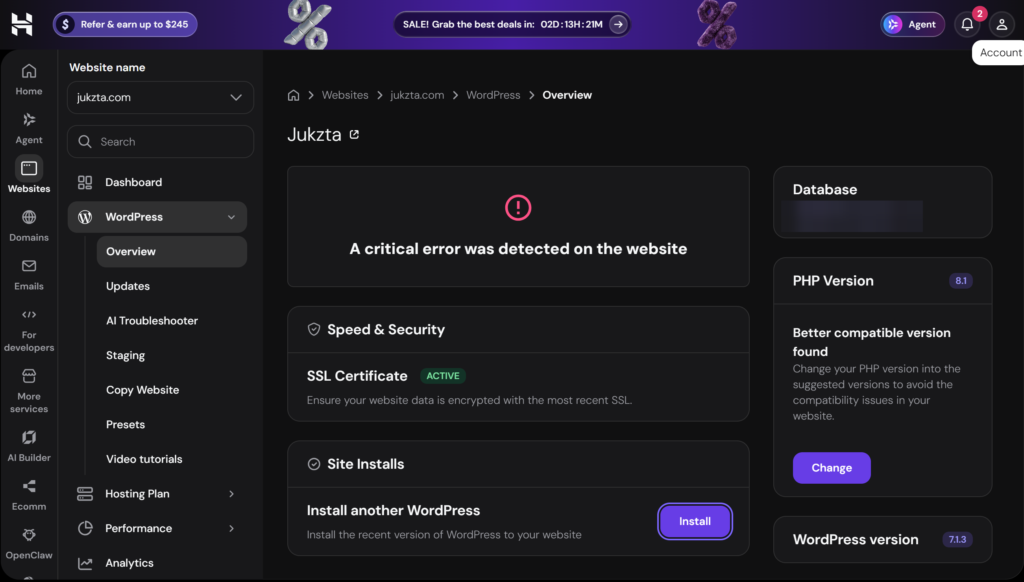
I opened the Hostinger dashboard and saw “A critical error was detected on the website.” The site was effectively broken. I started looking through the files, and found a mess of unfamiliar files scattered through the web folder. Some had been modified within hours of when I looked, others had been sitting there for weeks or months. Other sites on the same Hostinger account showed no signs of a problem. This was only on jukzta.com.
The files
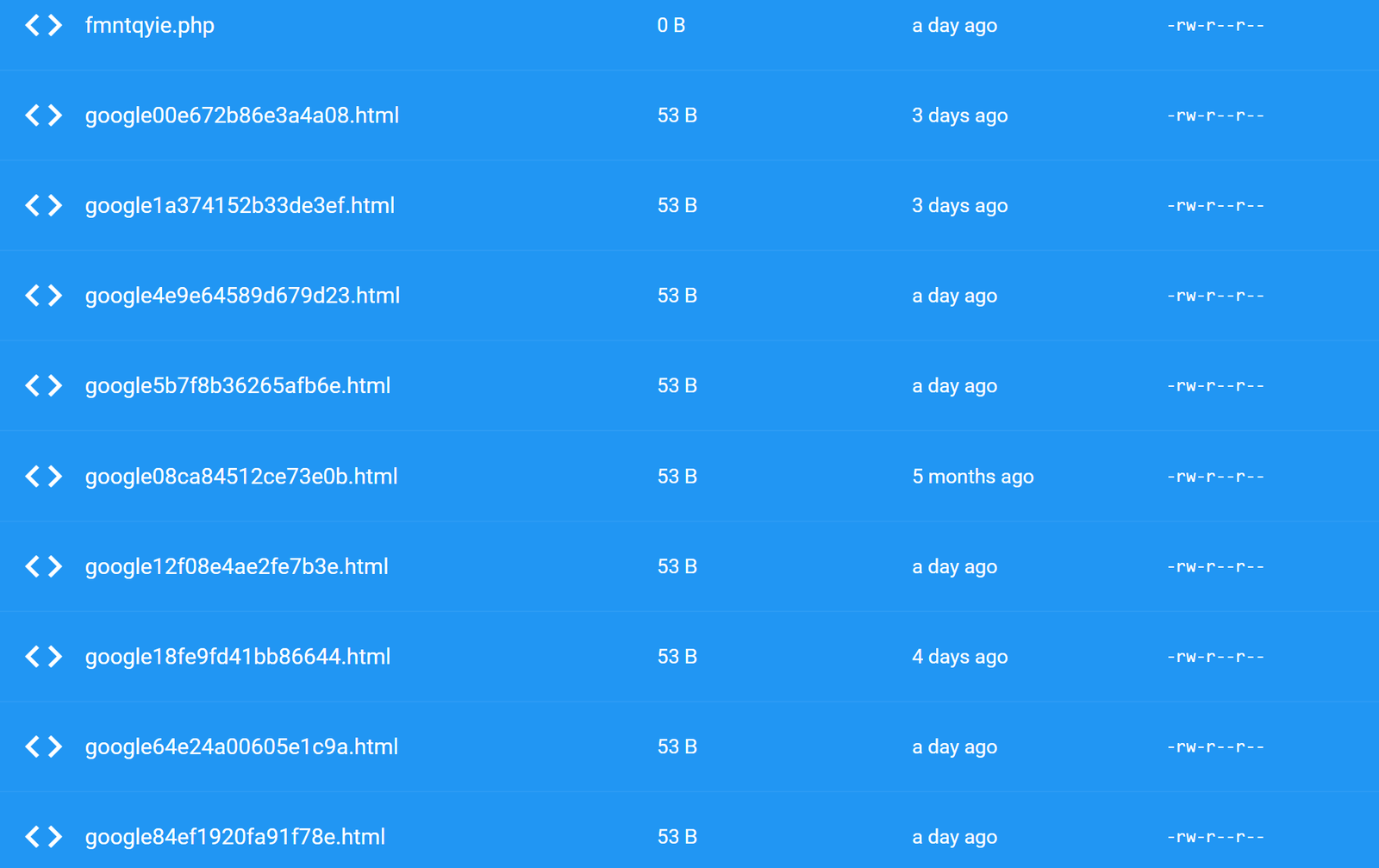
The most obvious red flags were randomly named PHP files: covvdrmv.php, lgaqpxbm.php, oavhpnjo.php, and fmntqyie.php. Their names follow patterns commonly associated with malicious scripts. They showed as 0 bytes when I checked them, and I never established what they were supposed to do.
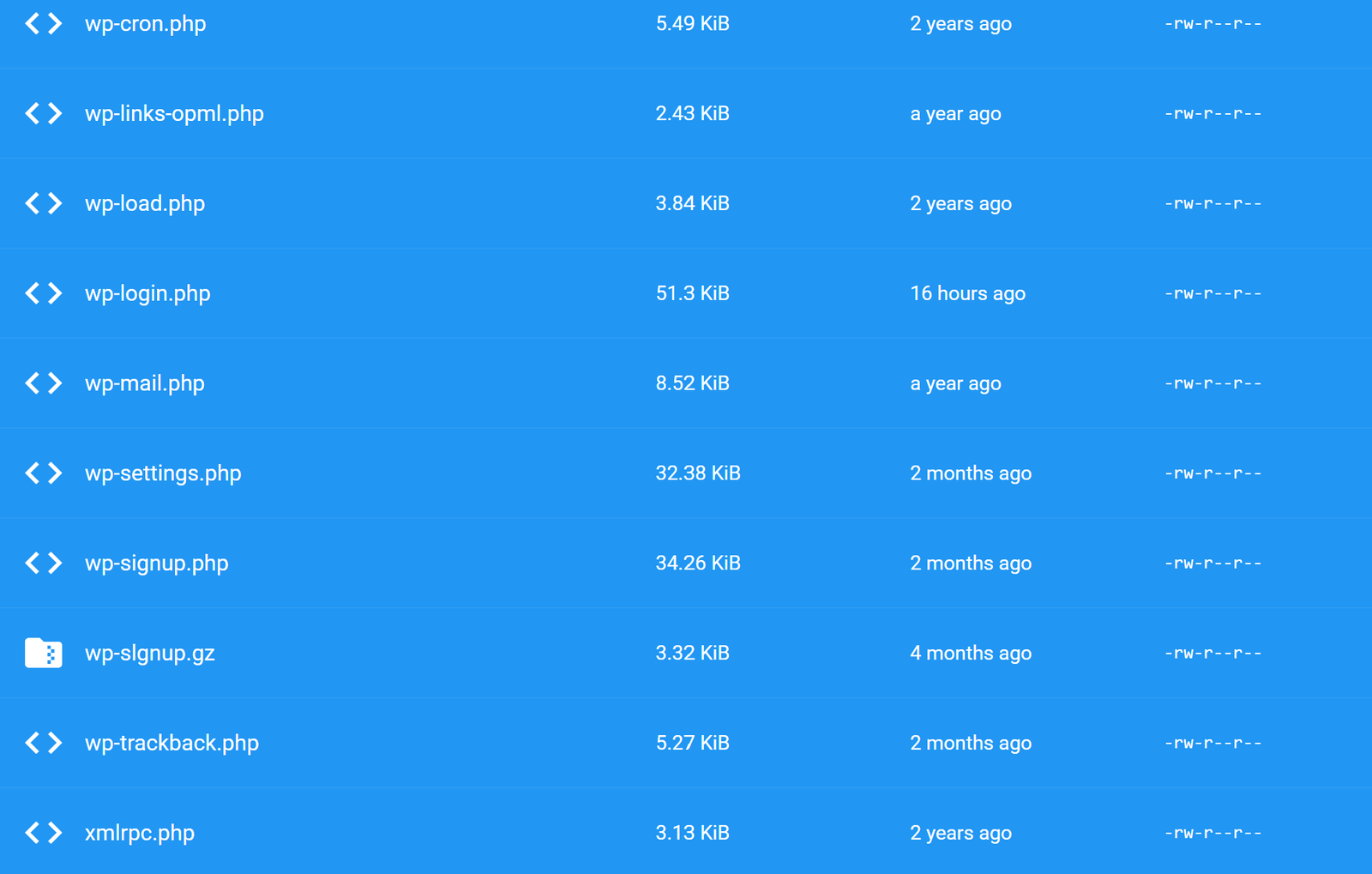
Then there was shop.php and manga.php, both possibly spam-related but their function unknown. And a file called wp-slgnup.gz that imitated the legitimate WordPress file wp-signup, with an L where the i should have been. It was 3.32 KB, about four months old.
The login page had changed
wp-login.php, the WordPress login page itself, had been modified about 16 hours before I found it. A tampered login page can be used to capture passwords. I don’t know if that happened here, but I treated every password used on this site as exposed and changed them all.
Someone was messing with how the site appeared online
At least 16 Google verification files had been dropped onto the server, each named google plus random characters and .html. These files prove ownership of a site to Google Search Console. Most were created in the few days before I found them; one was about five months old. When I checked Search Console afterward, I was the only owner and found no sign of unauthorized access through those files. Whether anyone successfully used them is unknown.
The configuration files had been modified too: robots.txt about two hours before I looked, .htaccess about seven hours before, and php.ini about a day before. These control what search engines see and how the server behaves. What changed in each of them is unknown.
The timestamps suggested activity was ongoing up to the day I found it. Timestamps alone don’t prove who or what made the changes, but they pointed toward something more recent than a dormant problem from months ago.
How did they get in?
I have no logs and can’t say for sure. Two possibilities stand out.
The WordPress admin account used a predictable username and a weak, generic password. That was a real weakness and it’s on me. It may be how someone got in, but I have no evidence showing the actual entry point.
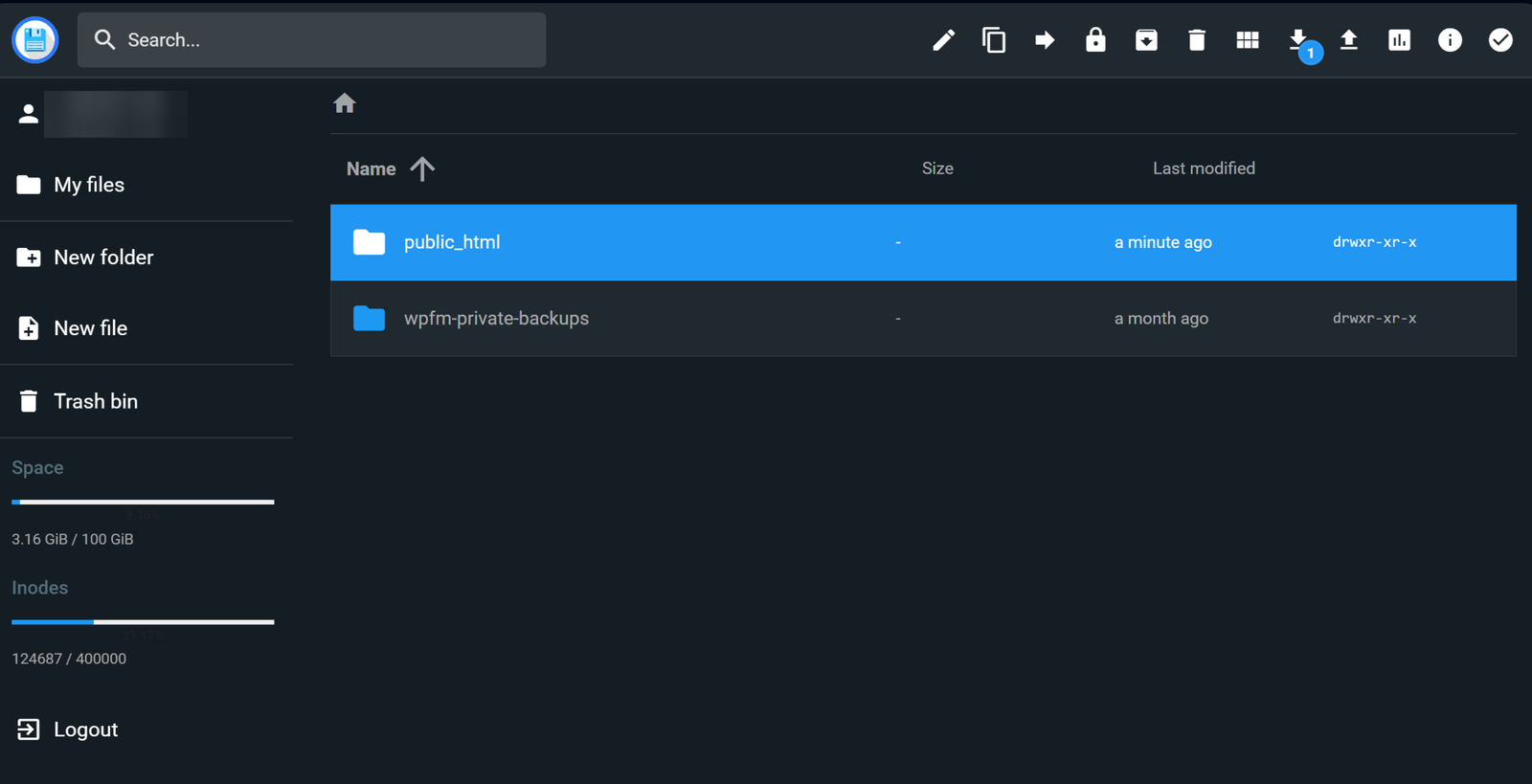
The site also had a folder called wpfm-private-backups, created by the WP File Manager plugin. Older versions of that plugin had a widely exploited security hole. Another possibility, also unconfirmed.
The decision to start over
Cleaning a compromised WordPress site means finding every bad file and every way back in, and you can’t be sure you found them all. The old site had been neglected for a while and there wasn’t much worth saving anyway. I exported the posts and pages I might want, then wiped everything. Anything I bring back to the new site gets reviewed first.
That’s how the current jukzta.com started: a fresh install on a clean database, instead of trying to salvage what was left.
What’s different now
I’m building a custom theme with Claude Code, with every section editable in the WordPress editor and no page builder. I’m keeping plugins to a minimum. Automation never uses my admin account; the AI assistant that helps with this site has its own separate account with the Author role. That account can’t change settings, themes, or plugins. WordPress would let it publish its own posts, but the tools it uses only save drafts, and I review and publish everything myself.
I won’t claim the new site is “secure now.” A fresh install helps, but security also depends on keeping things updated, keeping plugins to a minimum, and controlling who has access.
What I learned
Small sites get targeted because attacks are automated, not because anyone cares about you specifically. Use a unique admin username, a long random password, and two-factor login. Keep plugins to a minimum and delete the ones you don’t use. Check your site and your Search Console account occasionally, even when everything seems fine. If you have little to save, starting fresh can be simpler than cleaning. Give automations their own accounts instead of sharing your admin login.
About this article: I worked with an AI assistant I run on my own hardware, built on Hermes Agent, to organize my notes and draft this post. This agent, Luma, will be helping me write and keep this site up to date going forward. I reviewed and edited everything before publishing.